Mobile clock-in that just works
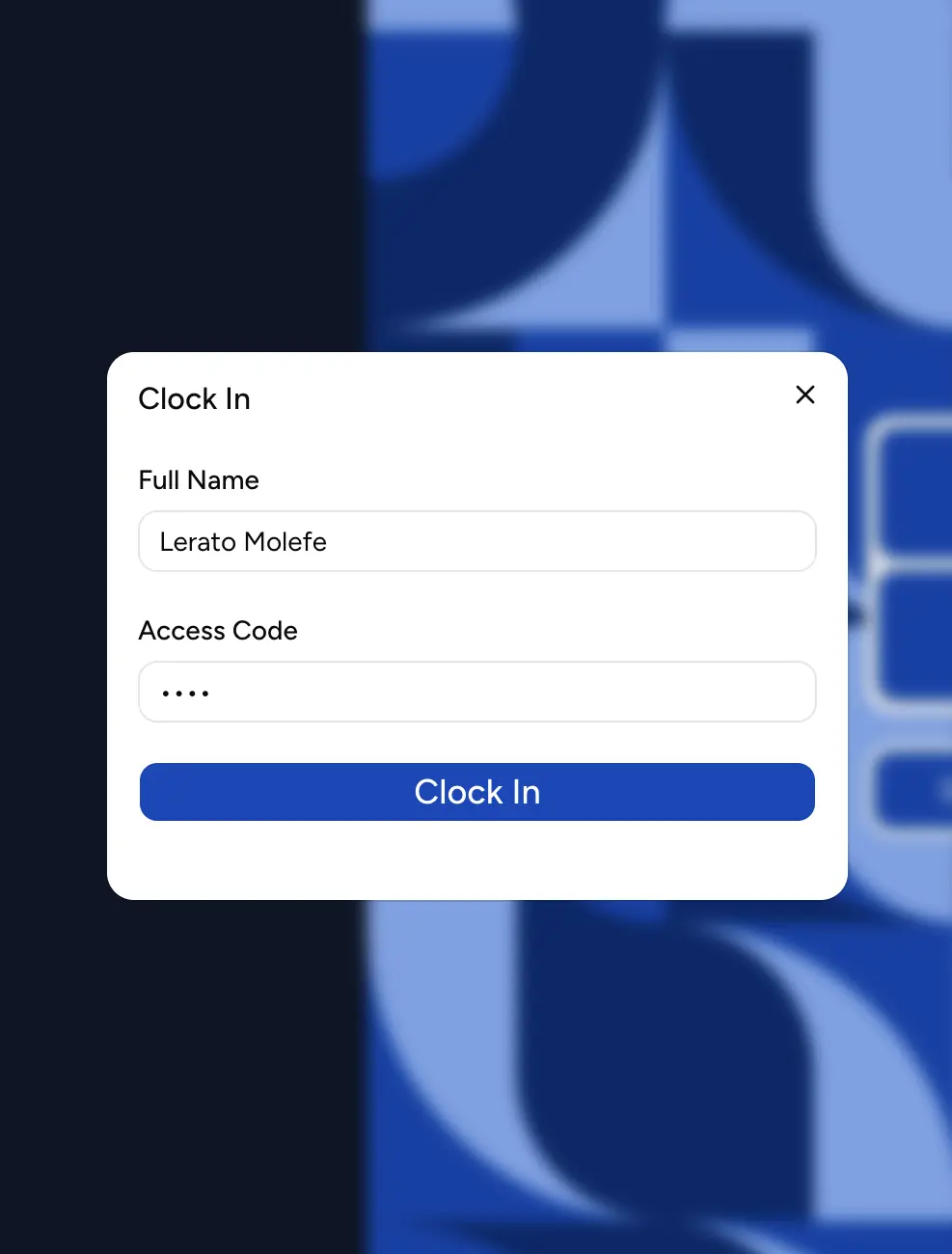
Staff clock in from their phone with a personal access code — no app install needed. Add optional geofencing so clock-ins only count at the workplace.
🇿🇦Built for South African teams
Attendance Tracker is a simple, reliable workforce tool for SA SMEs and retail branches - mobile clock-in, live attendance, and optional leave management that actually fits how you run.
14-day free trial · 15 employees included · no card required
How it works
Create your workplace, set working hours and breaks, then add employees and their access codes in minutes.
Staff clock in from their phone with their access code. Optionally lock clock-ins to the workplace with geofencing.
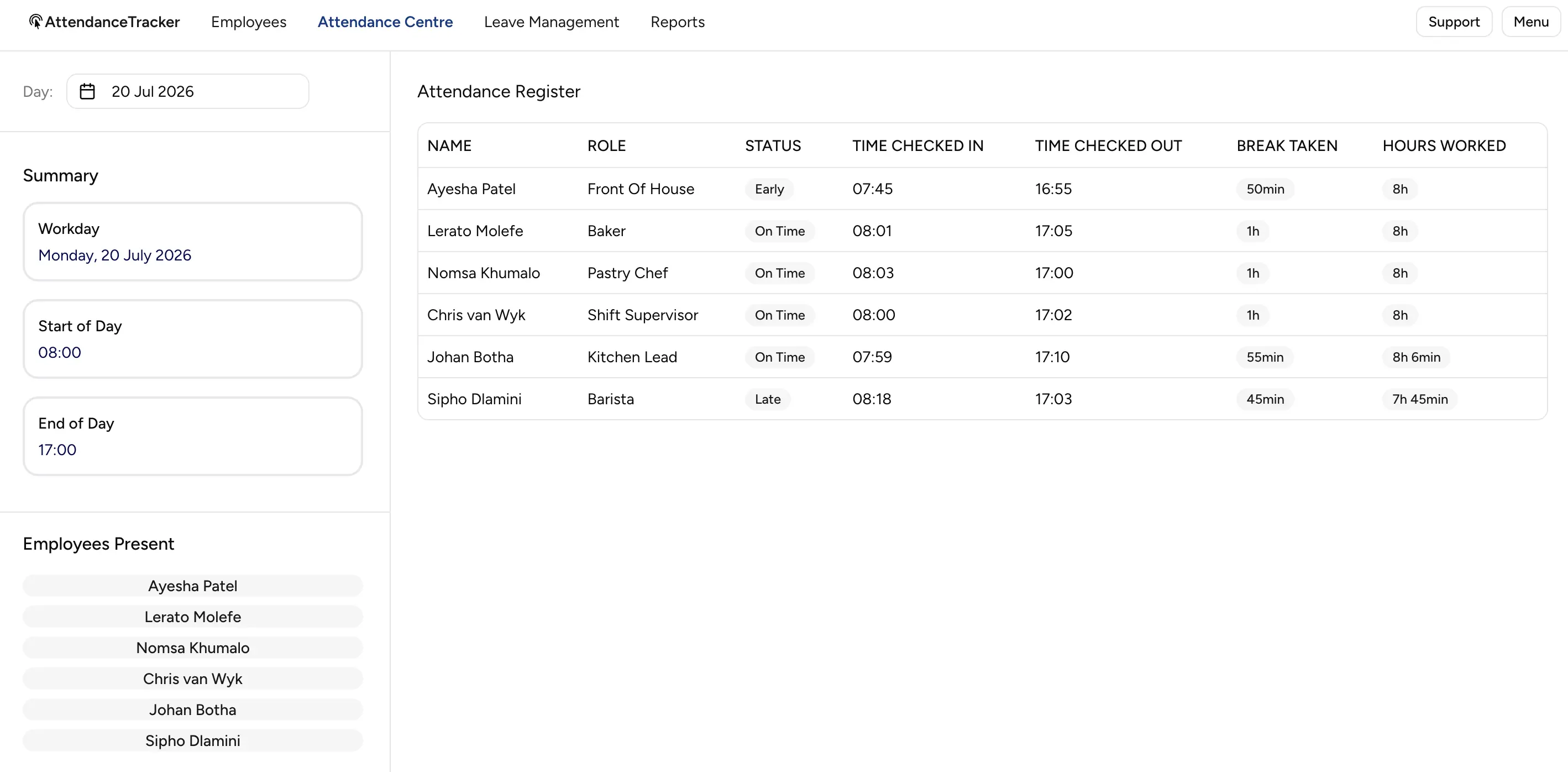
Watch the live workday, export PDF attendance history, and - if you add Leave - approve requests and track balances.
Features
Practical tools for owners and managers - not dashboards for dashboards' sake.
Staff clock in from their phone with a personal access code — no app install needed. Add optional geofencing so clock-ins only count at the workplace.
A live attendance centre shows the workday as it happens — who's clocked in, on break, or absent — so managers stop chasing people for answers.
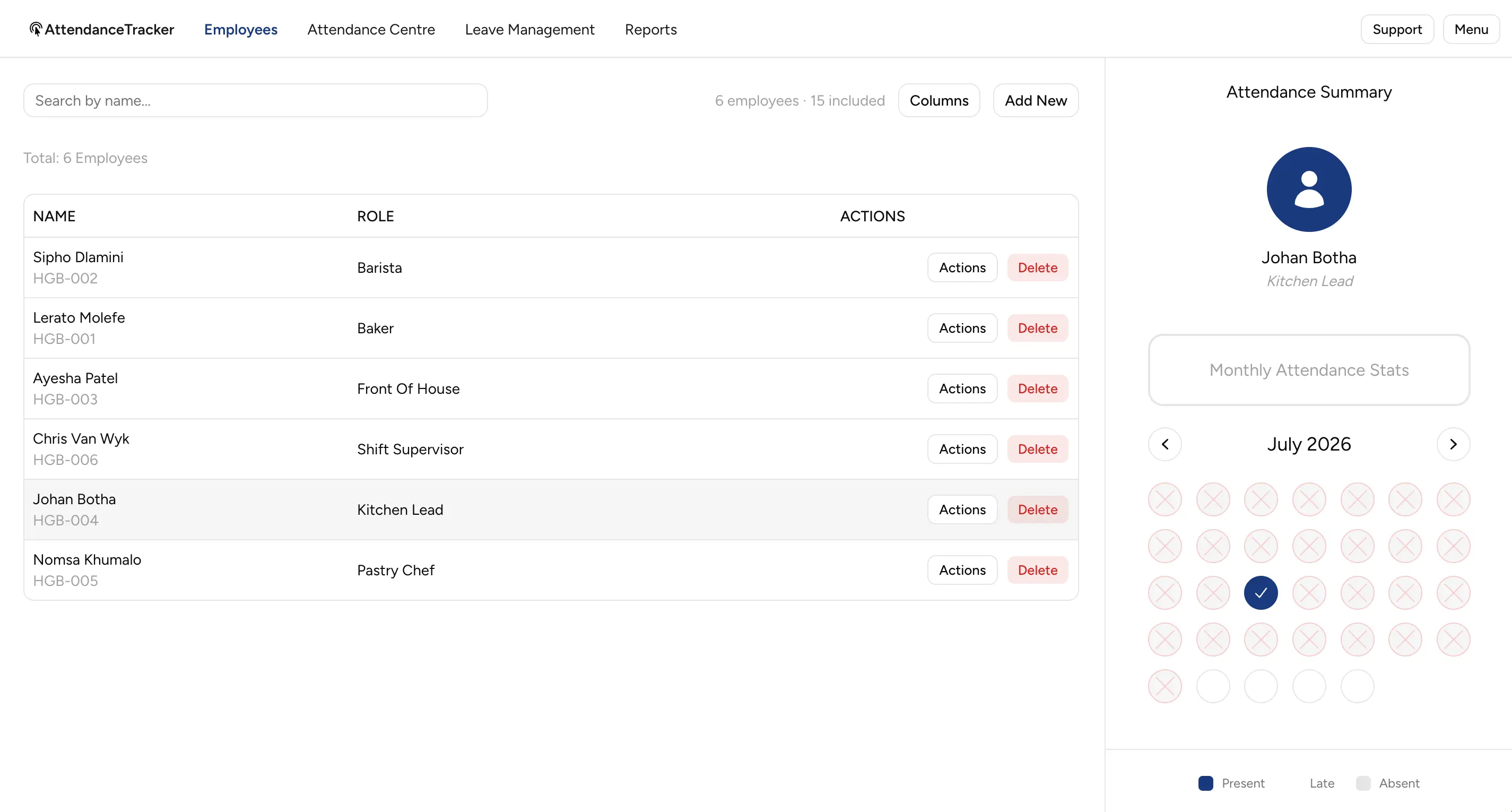
Keep your employee roster in one place and see exactly how many of your included seats you're using. Add seats only when you actually need them.
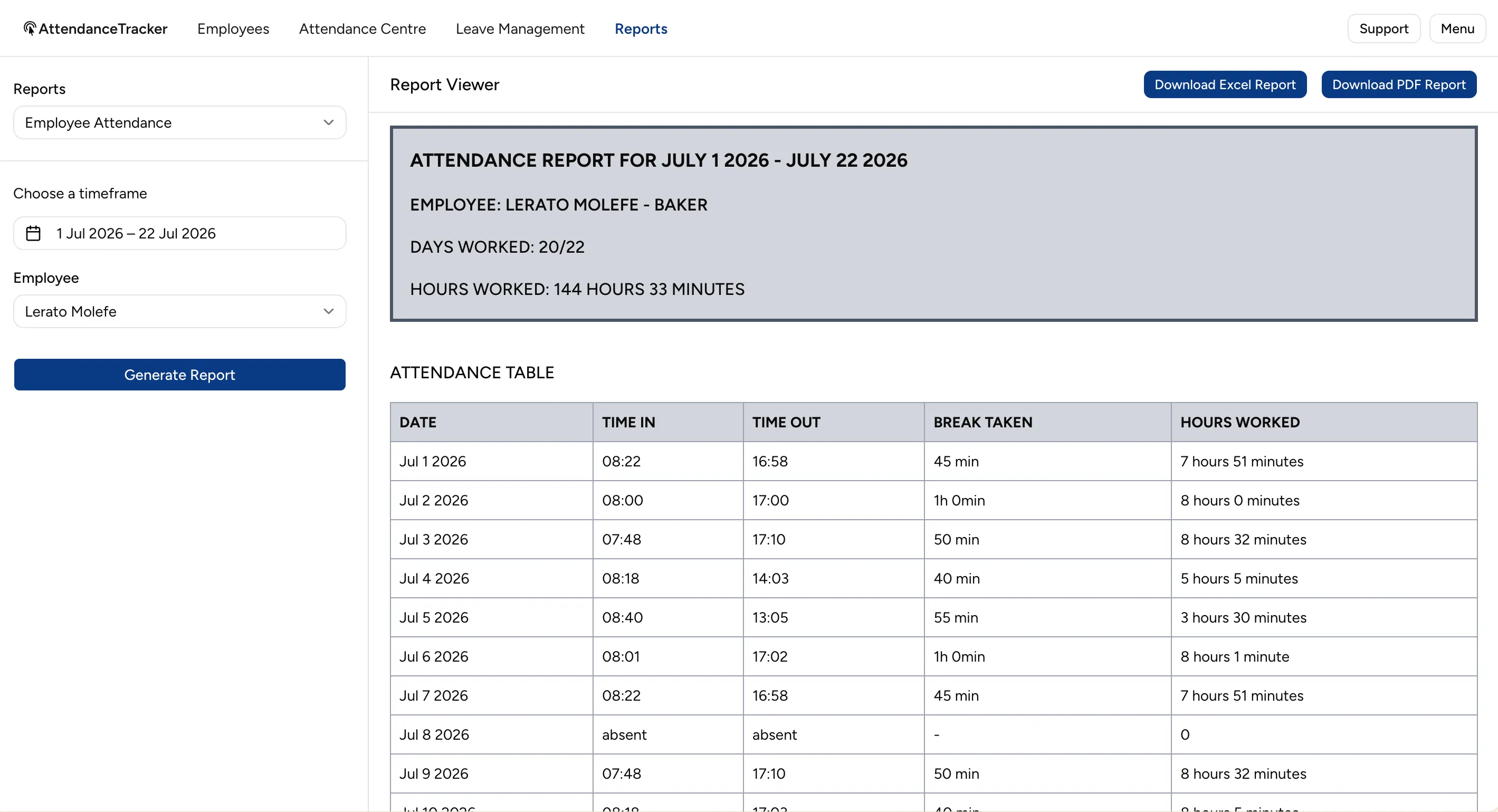
Generate clean attendance history per employee or for the whole workplace — ready for payroll, audits or a disciplinary file. Export to PDF or Excel in a couple of clicks.
Set up leave types, capture requests, track balances and approve from one place. Entitlement cycles and BCEA-aware defaults keep you on the right side of the law.
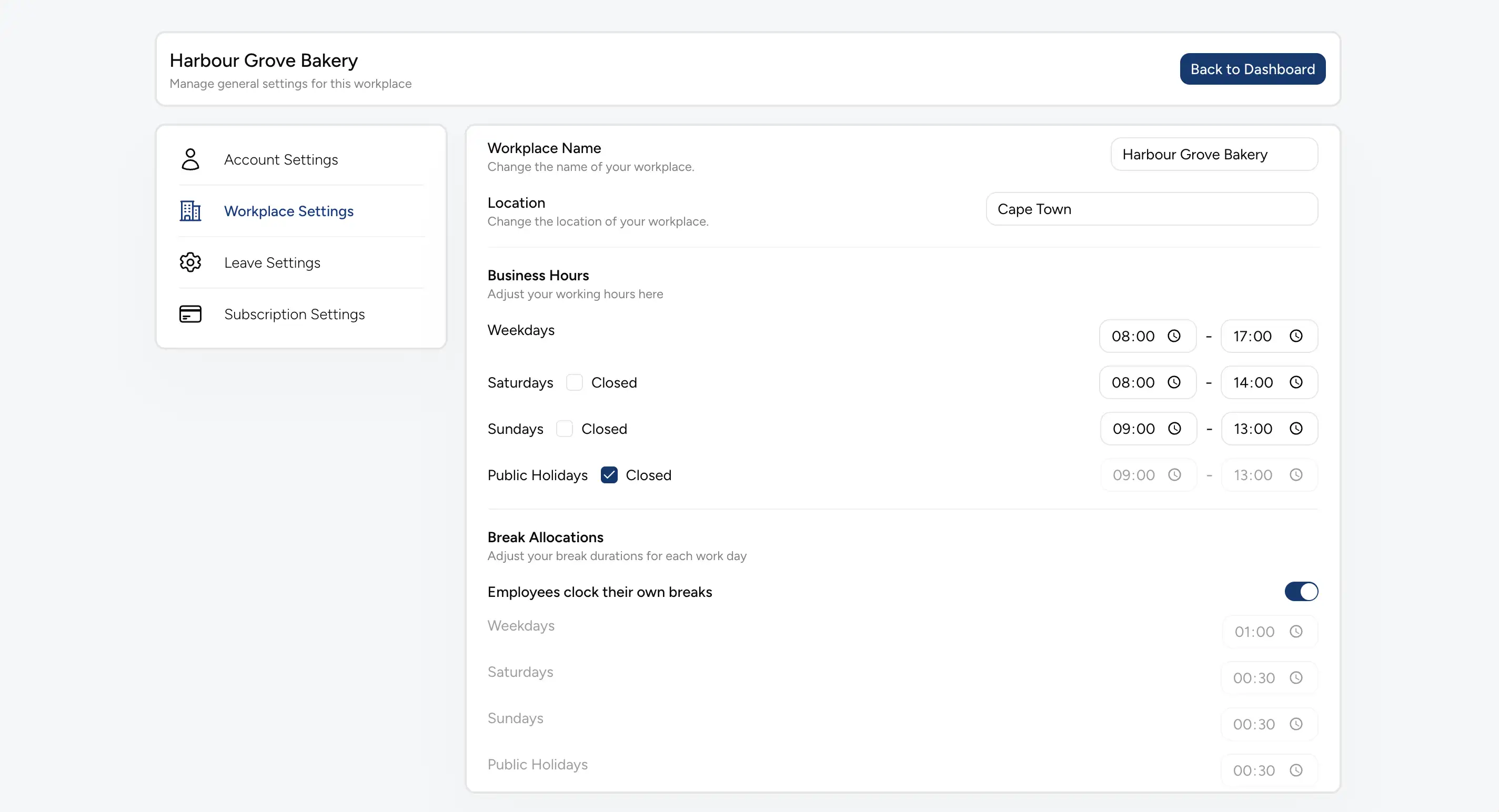
Set working hours and breaks per weekday, Saturday, Sunday and public holiday once. Mark public holidays closed at the toggle, and let employees clock their own breaks if you choose.
Leave module
The Leave add-on turns absence into a managed process — requests, balances, a shared calendar and BCEA-aware defaults — without a single spreadsheet.
Leave types and cycles follow the Basic Conditions of Employment Act, so you start compliant.
South African public holidays are built into the calendar and entitlement maths.
Annual, Sick and Family Responsibility Leave each run on their own correct cycle.
Staff view and cancel their own leave from a personal link — no app install, no login to manage.
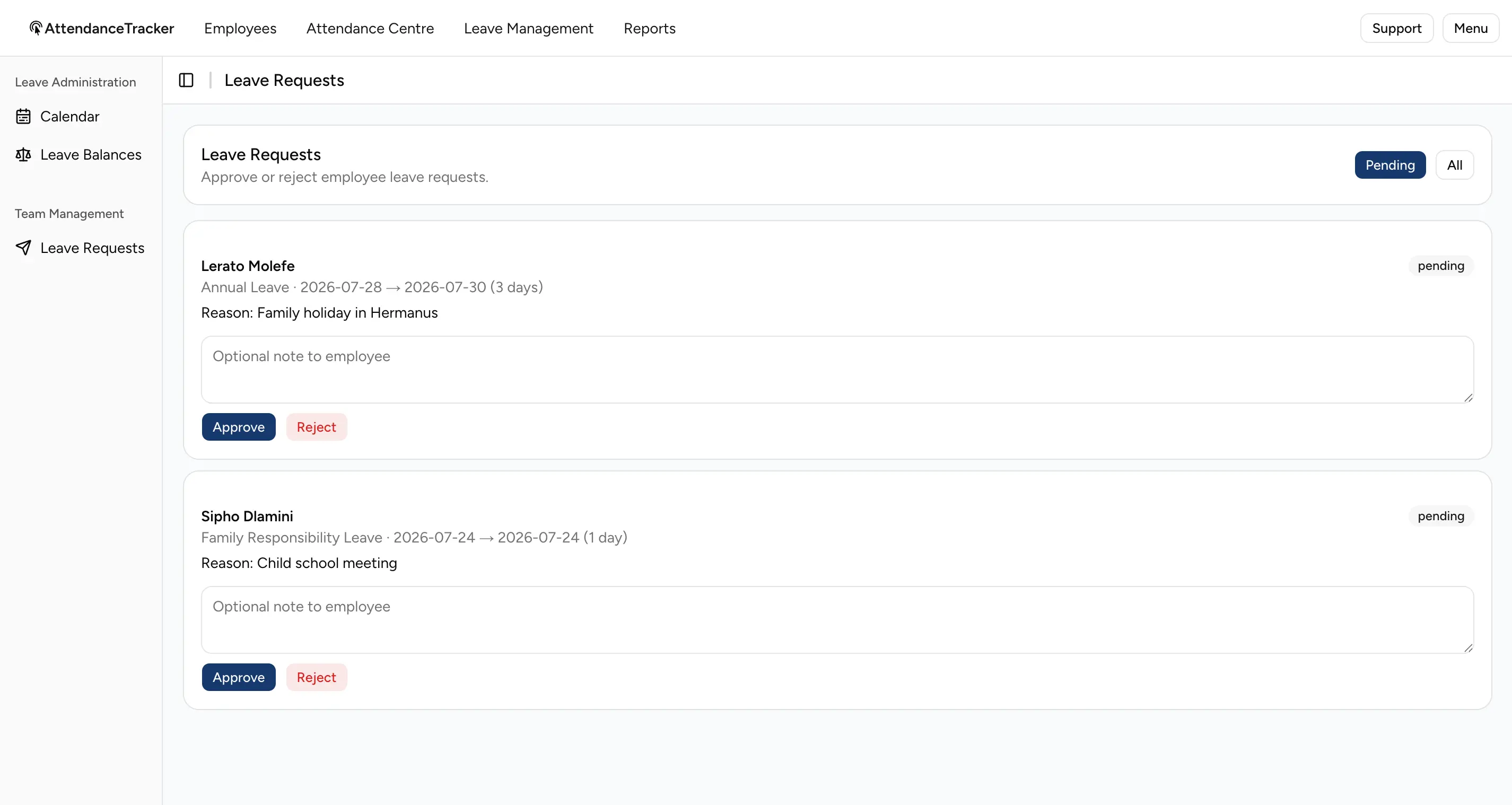
Approve or reject with an optional note, so decisions are clear and auditable.
Attendance and leave live side by side, so absence shows up next to clock-in data.
Every leave request lands in a single queue. See who, why, when and for how long at a glance, then approve or reject with one click — and leave an optional note so the employee knows where they stand.
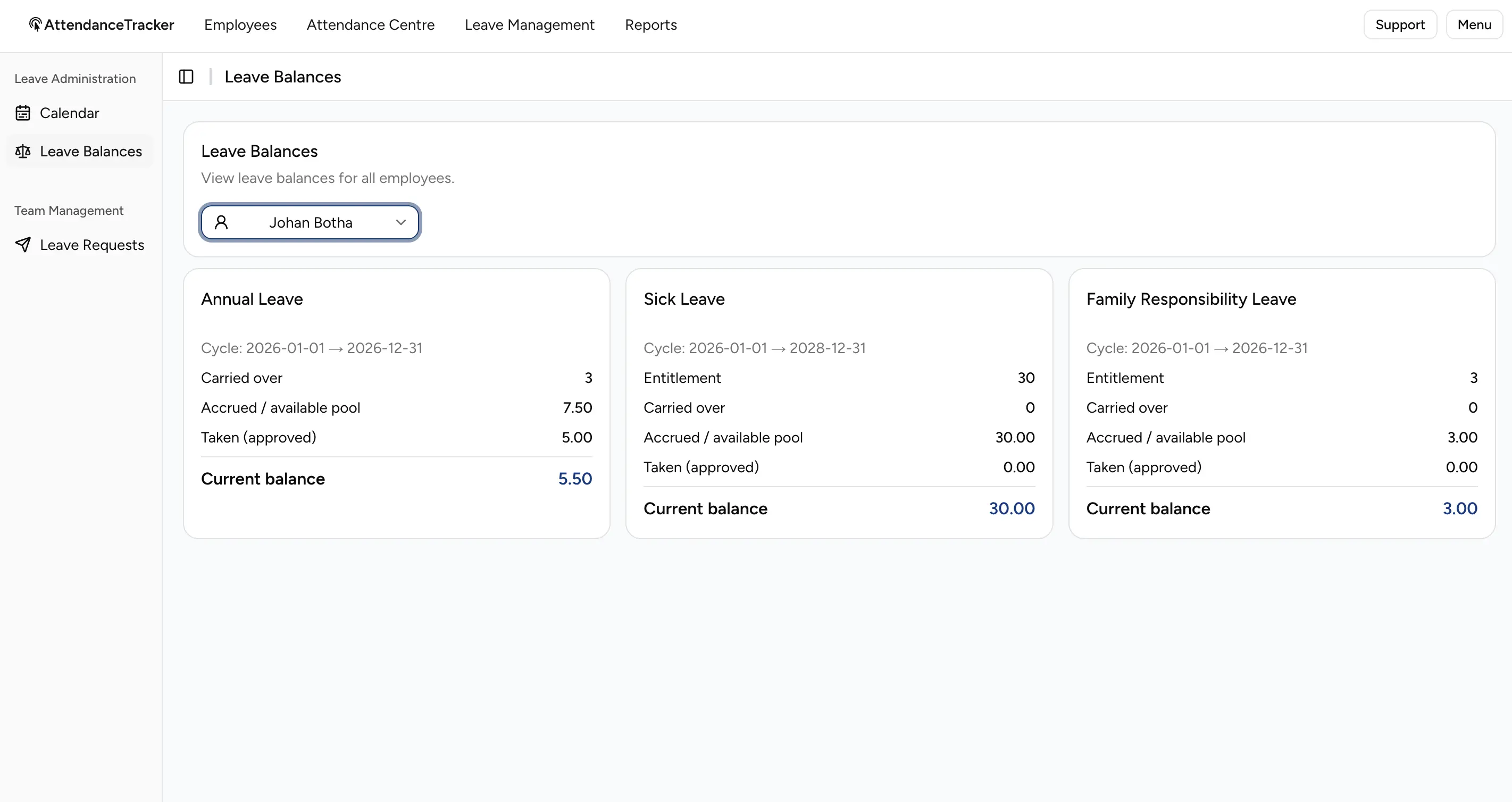
Track entitlement, carried-over leave, accrual and taken days per employee. Annual, Sick and Family Responsibility Leave come with the right cycles out of the box — including the 3-year sick leave cycle.
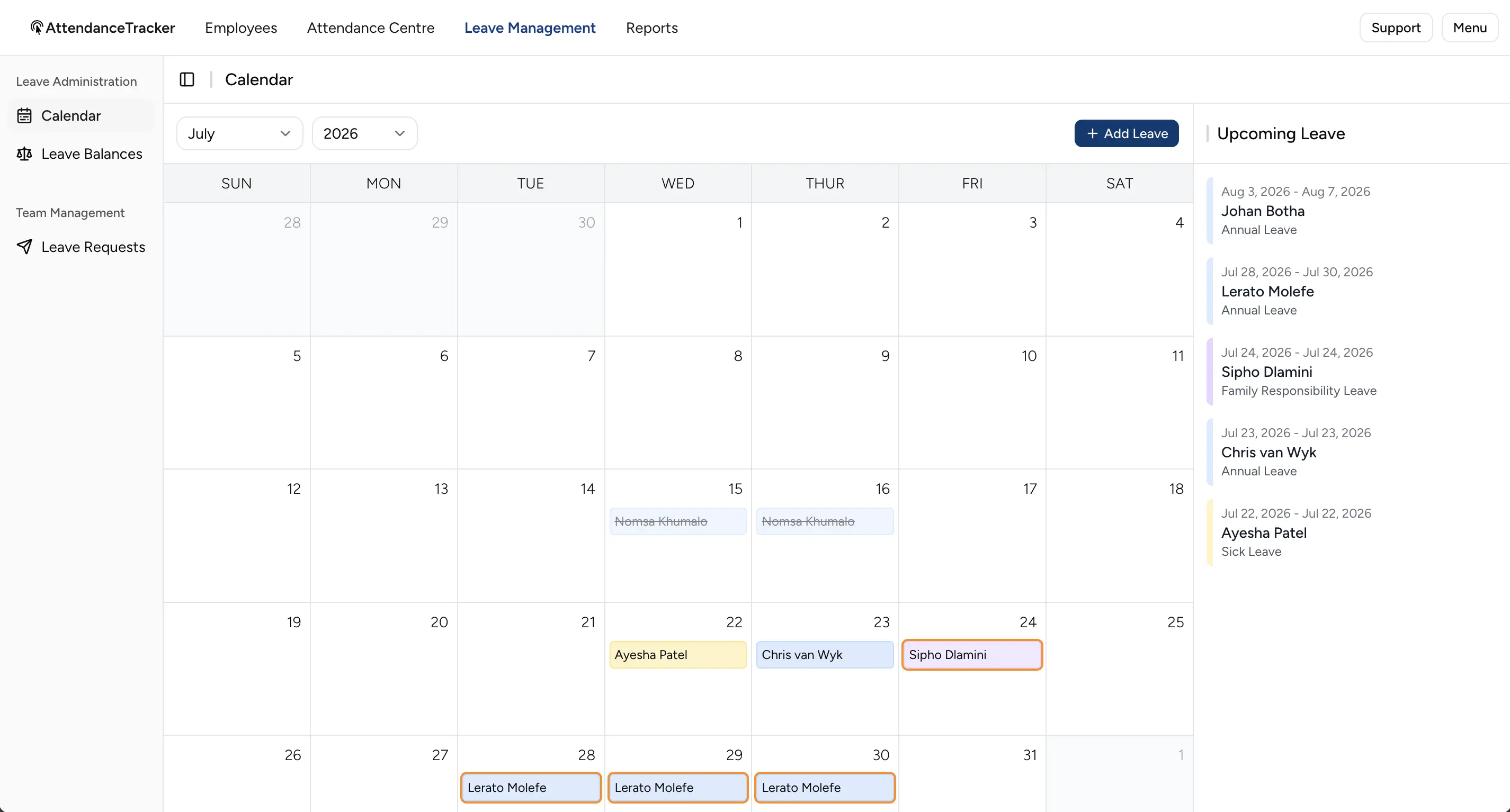
Approved leave drops straight onto a shared monthly calendar, colour-coded per leave type. An upcoming-leave panel keeps the next few weeks visible so you can plan rosters before they bite.
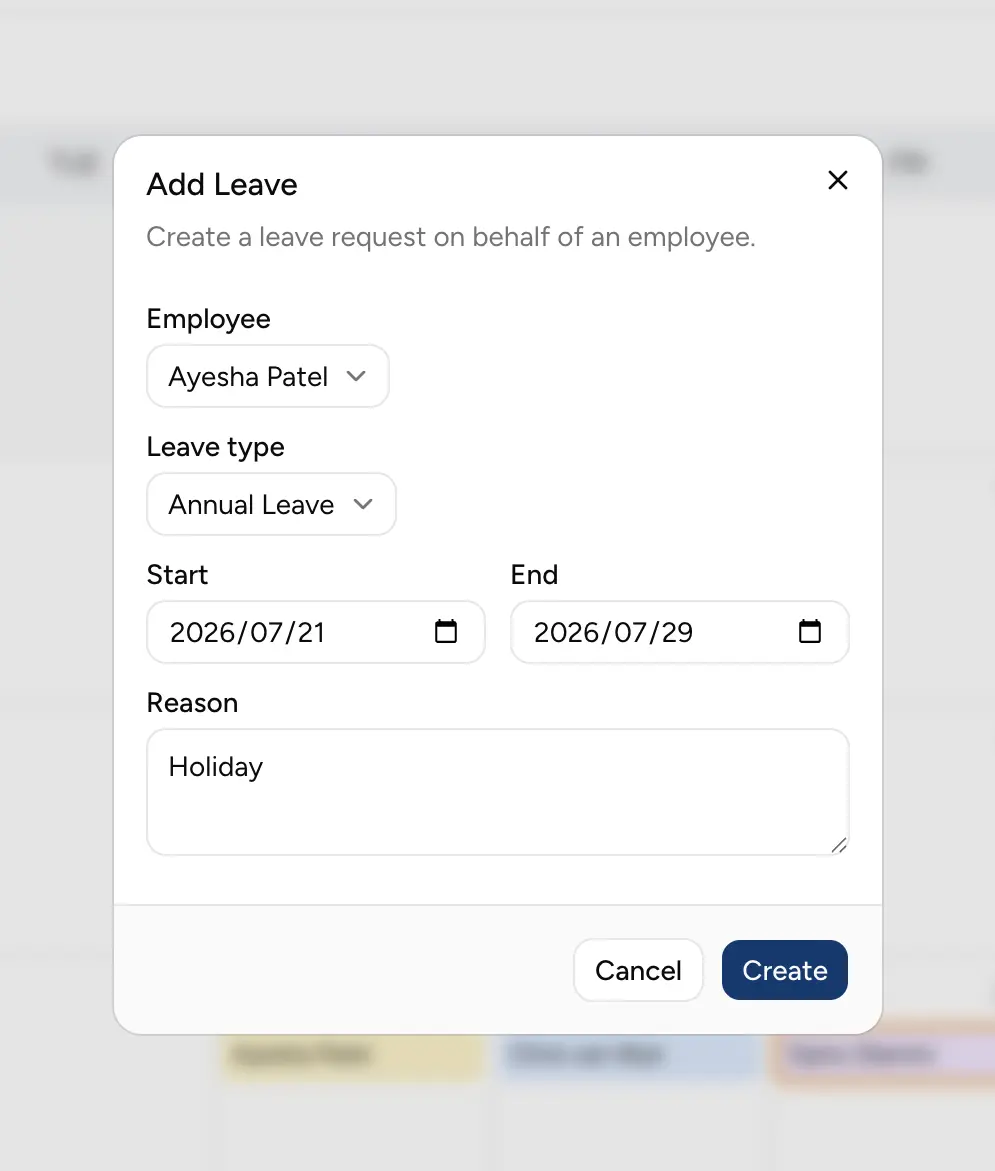
Need to capture leave a employee phoned in? Create a request on their behalf in seconds — pick the employee, leave type, dates and reason, and the balance updates the moment it's approved.
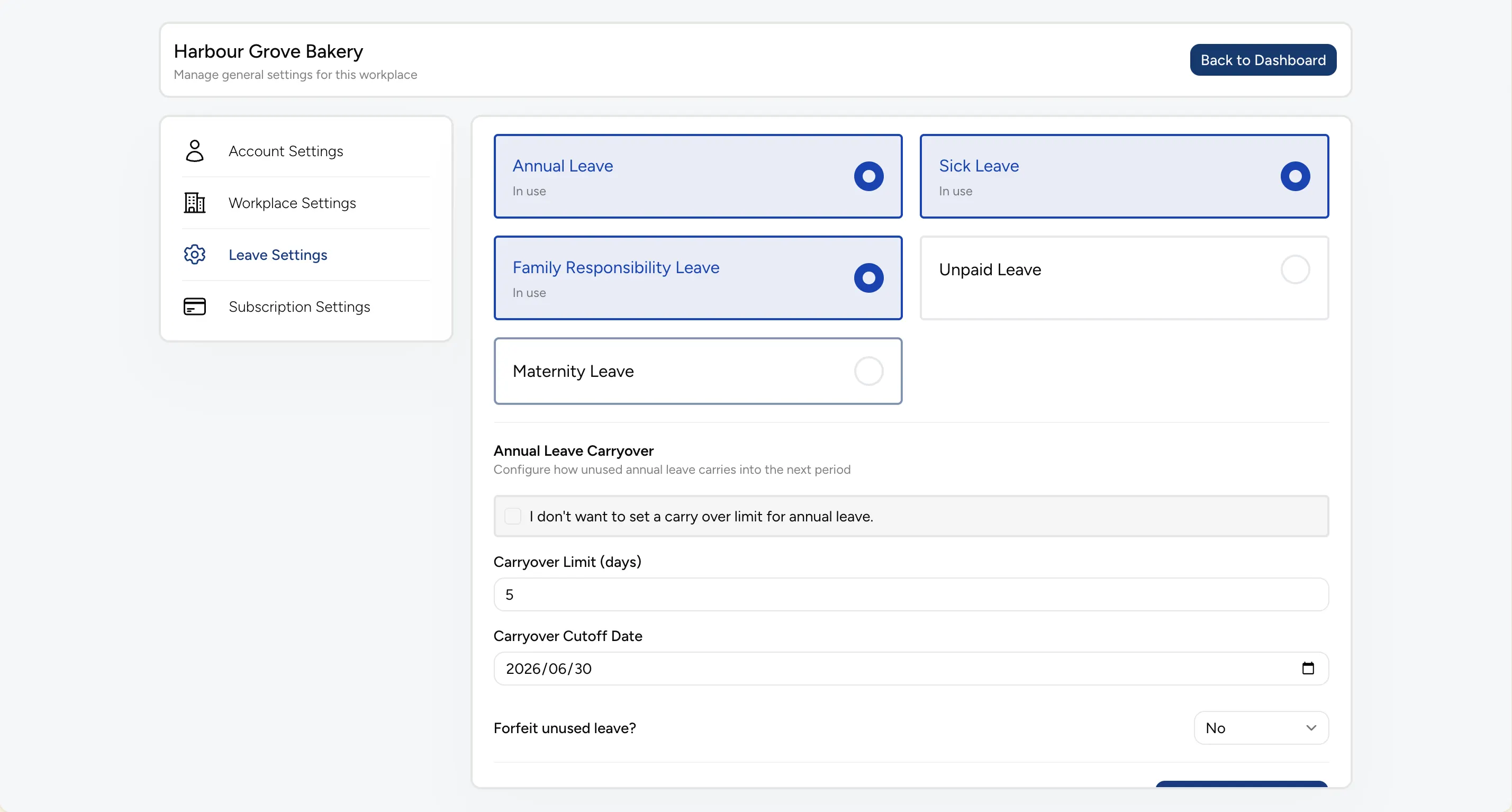
Switch the leave types you use on or off, then fine-tune the details — like an annual leave carry-over limit, a cutoff date and whether unused leave is forfeited. The setup stays yours, not a fixed template.
Reports
Whether it's payroll, an audit or a disciplinary file, Attendance Tracker exports clean, dated records — per employee, across the workplace, or for leave balances — to PDF or Excel.
Pull a clean attendance history for any single employee over any date range — days worked, total hours, and a day-by-day breakdown of time in, time out, break and hours worked. Absent days are flagged, so the record speaks for itself.
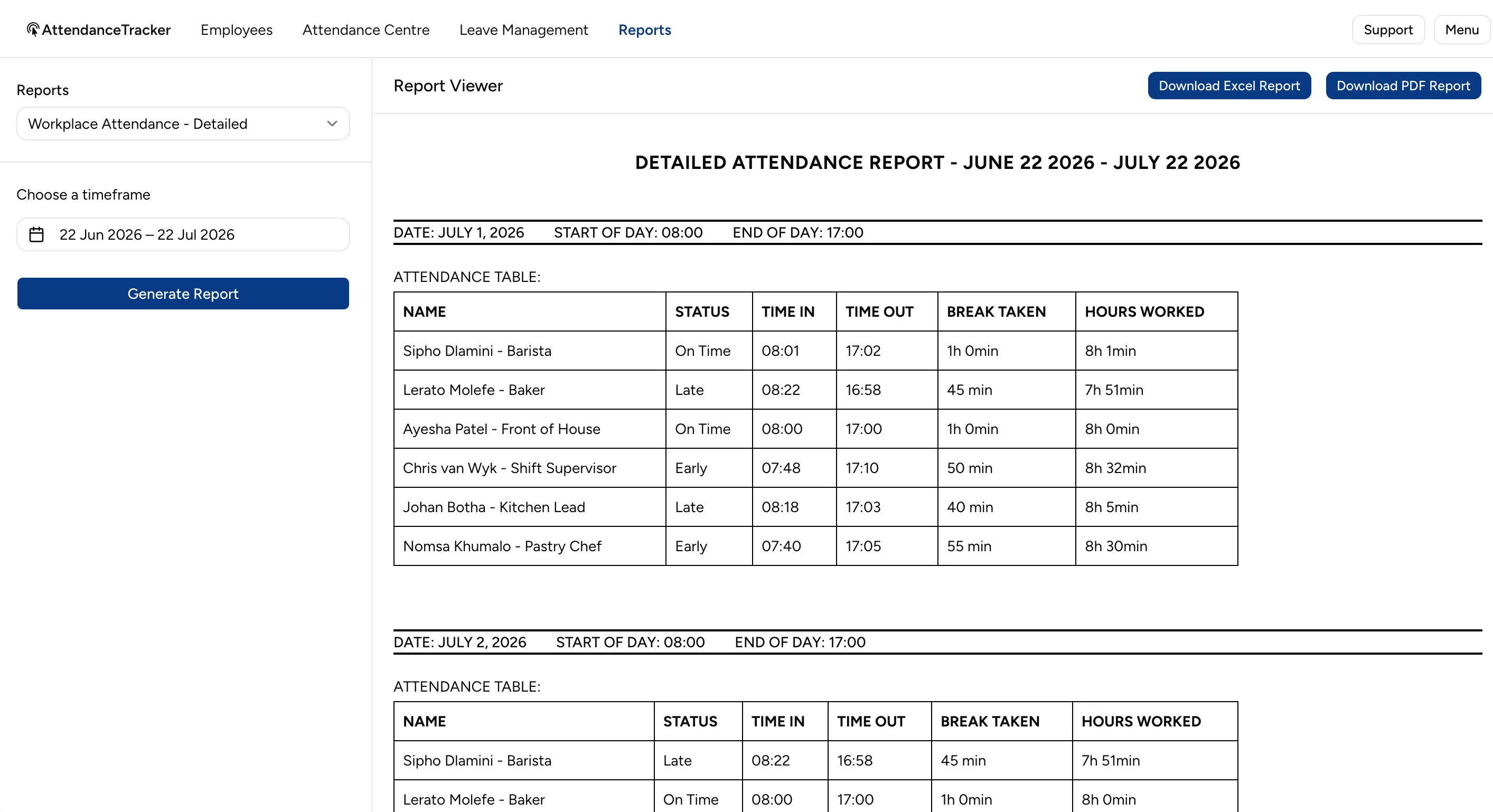
See the full workplace day by day — every employee's status (On Time, Late, Early), clock-in and clock-out times, breaks and hours worked. It's the roster and the actuals side by side, in one export.
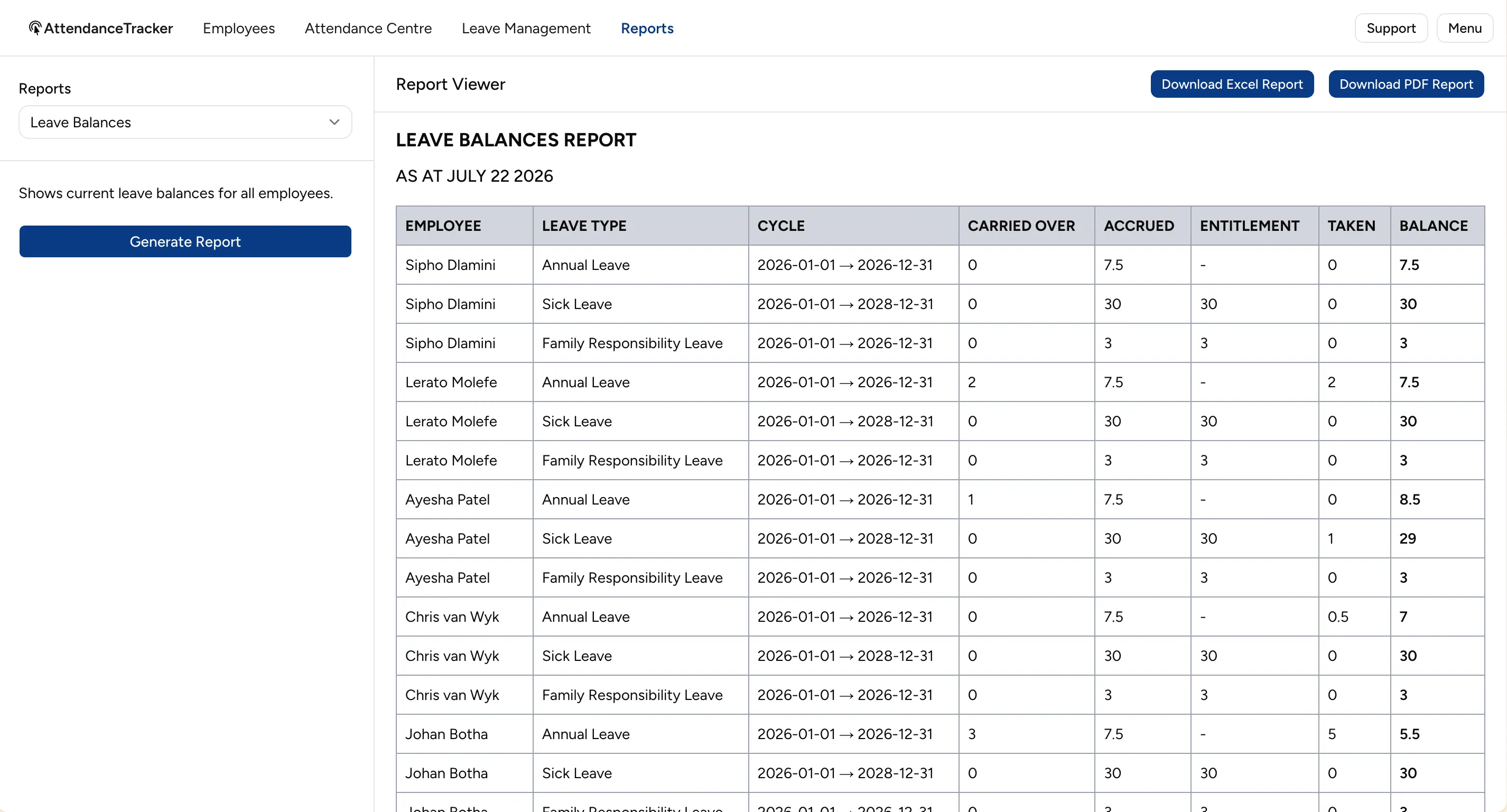
Generate a leave balances report for everyone at once — leave type, cycle, carried over, accrued, entitlement, taken and the current balance. Hand it to payroll or keep it on file for the next audit.
Modules
Pick the pack that matches where you are today - upgrade anytime in the app.
Clock-in, live workday view, rosters and PDF reports. The reliable core for knowing who's in.
Leave types, requests, balances and approvals - with BCEA-aware setup and ZA public holidays.
The full suite in one admin view - clock-in plus leave, so attendance and absence live together.
Pricing
Every pack includes 15 seats. Add more only when you need them - yearly billing saves about 10%.
Clock-in, live workday view, rosters and PDF reports.
15 seats included · R 20/extra seat
The full workforce suite - clock-in plus leave, balances and approvals.
15 seats included · R 30/extra seat
Leave types, requests, balances and approvals - no spreadsheets.
15 seats included · R 15/extra seat
Prices in ZAR. VAT is charged in the app at checkout. 14-day free trial includes 15 employees - no card required.
Product tour
A quick gallery of the screens your team will actually use.
FAQ
Yes. New sign-ups start with a 14-day free trial that includes 15 employees - no card required. You only add billing details when the trial works for you.
Every pack includes 15 seats for new sign-ups. If you need more, extra seats are billed per pack - R20/seat on Attendance, R15/seat on Leave, and R30/seat on Attendance + Leave. Existing customers migrating from the old system get 20 included seats.
No. Employees clock in from a phone browser using a personal access code. Managers use the web dashboard. There's nothing to install or maintain on staff devices.
Yes. Geofencing is optional per workplace - when enabled, clock-ins only count when the employee is within range of your location.
Yes. Leave types, entitlement cycles and South African public holidays are built in, so balances and the calendar reflect how SA businesses actually run.
Yearly billing is about 10% cheaper than paying monthly. Choose monthly or yearly at sign-up - both include the same 15 seats and the same per-seat price for extras.
Billing is managed inside the main app with a card on file via Payfast. This marketing site only links to sign-up - no checkout or payment happens here.
Yes. You can start with Attendance or Leave alone and add the other module from billing settings in the app when you're ready.
Start your 14-day free trial today - 15 employees included, no card required.
Have an account already? Sign in.

